Fake wallet apps and modified APKs: when the balance was never on the chain
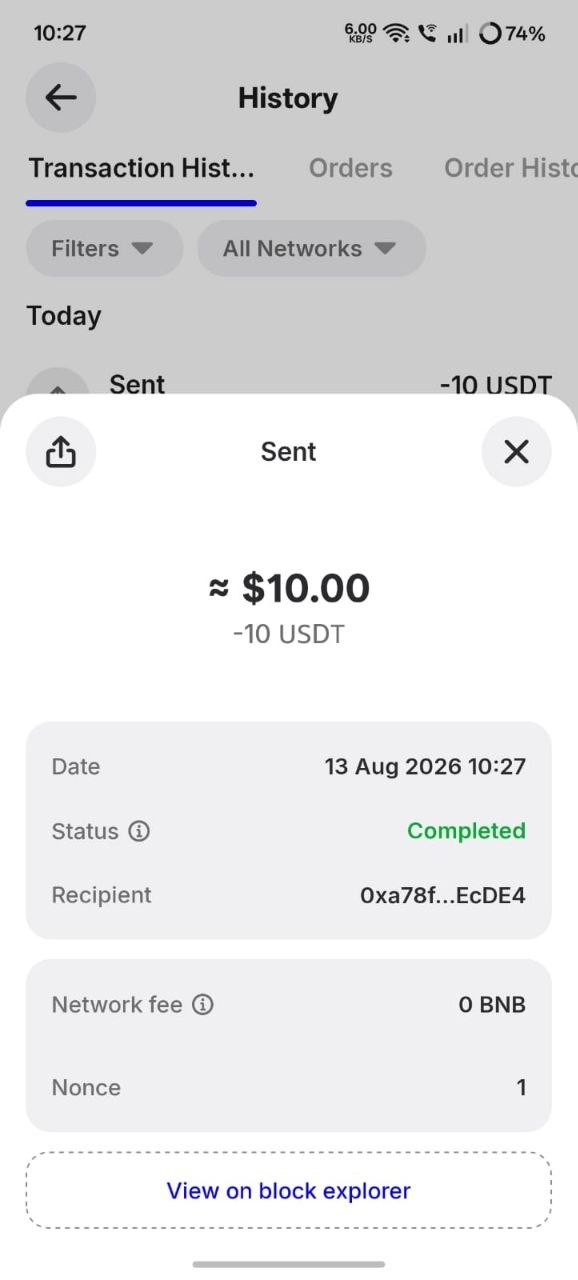
A wallet app is a viewer, not an authority: it queries a node and renders whatever comes back. A modified APK or an attacker-controlled RPC endpoint can therefore display any balance at all, with nothing behind it on the blockchain. The only proof of what you own is your address checked on a public explorer, from a different device, on a domain you typed yourself.
A counterfeit token at least exists on a blockchain. This attack is simpler and worse: nothing exists at all. The balance is pixels, the history is fiction, and the victim has no idea until a merchant refuses to pay.
The modified APK
Android permits installing apps from outside the Play Store. That is a genuine feature with genuine uses, and it is also the delivery route for this attack. An attacker takes the real wallet APK, decompiles it, patches the balance-rendering path to return a hardcoded value, then repackages and re-signs it. The result is visually indistinguishable from the real app — because it *is* the real app with a few bytes changed.
Distribution runs through Telegram groups (often bundled with a “flash USDT” purchase), APK-mirror sites promising “premium unlocked”, QR codes in comment sections, and direct file transfer from a “helpful” support agent.
The spoofed RPC endpoint
More elegant, and it does not require a modified app at all. Every wallet lets you add custom networks — a normal feature developers use daily. A “support agent” walks the victim through adding a “faster node”. That RPC URL is attacker-controlled, so every question the wallet asks — *what is my balance? did this confirm?* — is answered by the attacker. The official app, unmodified, from the official store, now shows fabricated data with total confidence.
| Surface | Attacker controls | What the victim sees |
|---|---|---|
| Modified APK | The rendering code | Any balance, any history |
| Spoofed RPC | The node's answers | Any balance, consistently, in a genuine app |
| Cloned explorer | The verification tool | Any transaction rendered as confirmed |
| Edited screenshot | One static image | Whatever fits in a screenshot |
The cloned explorer — the one that catches careful people
You did everything right. You asked for the hash. You checked it on an explorer. It showed the correct USDT contract, confirmed, correct amount. You paid out. The money never existed.
Because the “explorer” was a pixel-perfect clone on a typo domain that renders whatever the attacker's backend decides, and the link came from the counterparty. This variant exists specifically to defeat people who follow good advice without following it completely.
How to prove what you actually own
- 1Copy your address out of the suspect app. Just the address — never the seed phrase, never a private key.
- 2Use a different device. Someone else's phone, a desktop, anything not running the app in question.
- 3Type the explorer domain by hand —
bscscan.com,etherscan.io,tronscan.org. - 4Paste the address and read the real holdings. This is ground truth. If the explorer shows nothing and your app shows 50,000 USDT, your app is lying.
- 5Check the contract addresses of anything that does appear — a real balance of a counterfeit token is still worth zero. See the 30-second check.
- 6Reinstall clean. Uninstall the sideloaded app, install from the official store, reset network settings, and import into a *new* wallet if that seed ever touched a sideloaded build.
Wallet hygiene that prevents all of it
- Install only from official stores or the official website. Type the wallet's domain yourself; do not search for it — sponsored results have hosted fake wallets more than once.
- Never sideload a wallet. There is no legitimate reason for a wallet to arrive as an APK from a chat.
- Never add a custom RPC someone sent you. If you did not need it before the conversation, you do not need it now.
- Never enter a seed phrase anywhere except the official app during setup. No support agent or recovery service ever needs it.
- Bookmark your explorers and use the bookmark, not a link.
- Use a hardware wallet for meaningful balances — it signs on-device, so a lying interface cannot move funds without a physical button press.
- Keep a small hot wallet. If it is compromised, it costs you a working float rather than everything.
Every attack on this page targets the moment a human looks at a display and decides a payment is real. FastXP2P verifies deposits against the chain server-side, so no screenshot or app screen is ever part of the decision.
Trade USDT safelyFrequently asked questions
How do I know if my wallet app is fake?
Check your address on a public block explorer from a different device, using a domain you typed yourself. If the explorer disagrees with your app, the app is lying. Also confirm the app came from the official store rather than a link or APK file.
I entered my seed phrase into a sideloaded wallet. What now?
Treat that seed as compromised. Create a brand-new wallet from a clean install of the official app and move every asset to it immediately — a patched wallet can exfiltrate the seed at the moment of import.
References
Primary sources for the rules and mechanics described above. Rules change — check the original before you act on anything here.
- 1National Cyber Crime Reporting PortalMinistry of Home Affairs, Government of India
- 2How Tether worksTether
- 3Tether reserves and transparency reportsTether
- 4Sanchar Saathi — report fraud communicationsDepartment of Telecommunications, Government of India
- fake wallet
- modified APK
- RPC spoofing
- wallet security